Website Themes Template
Built modern website white clean design with SEO - flatfile cms bludit premium themes

Installation Themes
How to install premium SEO website blog flatfile cms bludit themes template
For first make sure you have run bludit on your website.
Or you can download bludit →
Install and run bludit flatfile cms on your hosting, then you can upload this themes template on your bluditproject/bl-themes.
Visit on backend admin panel - click on themes - and activate creative agency template.
After activate themes, now you can open on source code creative agency template , and copy all files on plugins-extra to bluditproject/bl-plugins.
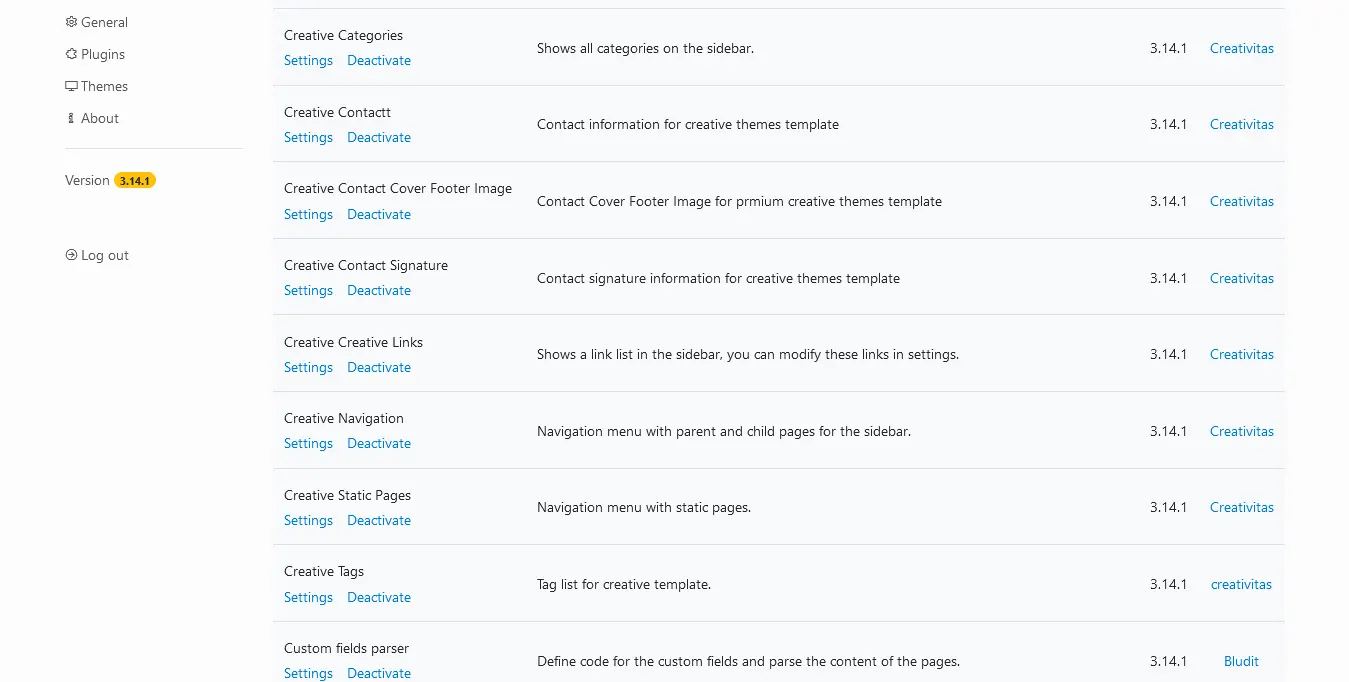
Visit on admin panel, click on plugins and you can activate all creative plugins.
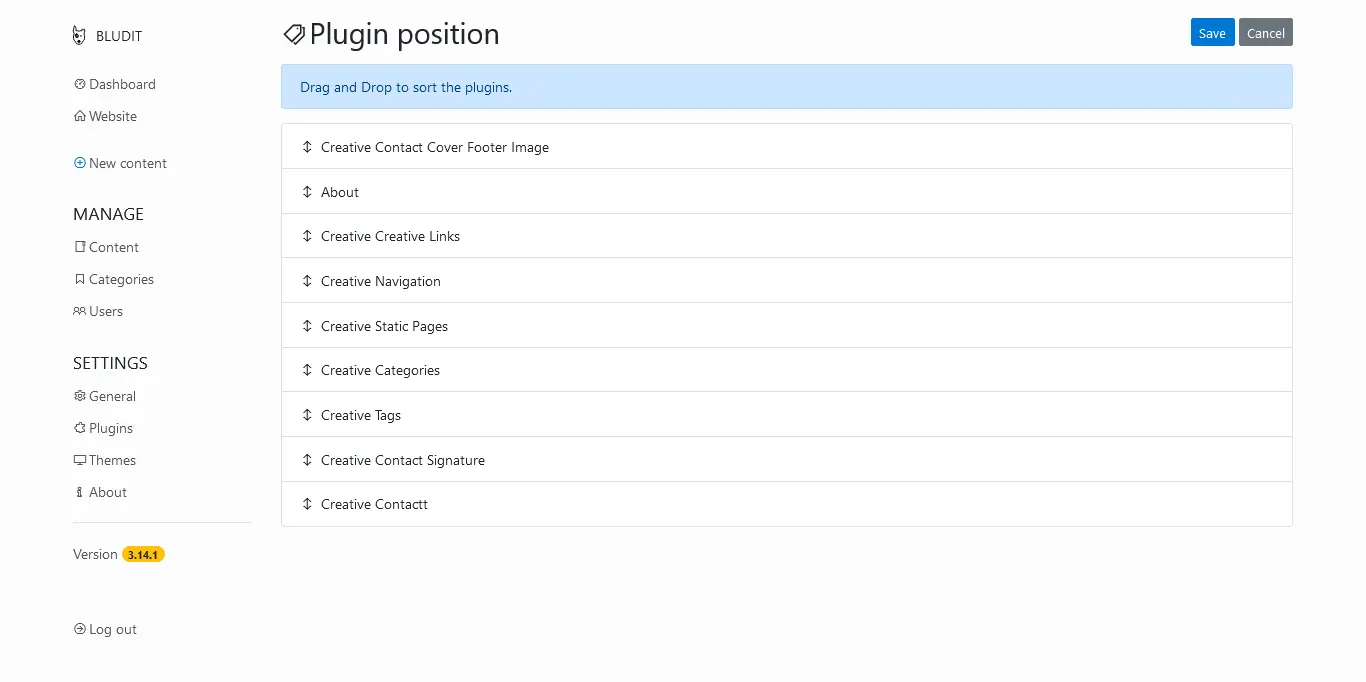
Now we need to change plugins position , so you can click on plugins - Change the position of the plugins on top plugins menu, and settup like image.
Okay now you can settup home page website , so for first you need create new content with type sticky post, because we need one article content will be your home page article. just click new content - insert title then write content - click options button on article form.
- General - insert description about your page , and upload cover image
- Advance - click on type - select sticky , and insert your tags.
- Custom - Now you can design your site in this area.
- And save your article.
That's it your site is live and run with creative agency themes.

About
Is design for bludit flatfile cms , include auto SEO injection and great pefrom for help you built website super fast, seo and touch all green score on google lighthouse !!
Get start now use this themes template.
Tags

Contact
Sidoarjo - East Java
Indonesia
+62895339403223
[email protected]
www.axcora.com